
Most Zoho CRM orgs we audit have more custom fields than anyone can explain. Each one was added for a good reason: a campaign, a new product line, a report a VP asked for once. Few of them were ever retired. The result is a Deals layout reps scroll past, reports built on fields half the team never fills in, and a pipeline view nobody fully trusts.
Every Field Is a Question Reps Have to Answer
A custom field isn't free. It's one more thing a rep has to read, decide on, and type into before they get back to selling. When a layout carries 60 fields and only 15 matter, reps learn to skip the whole section, including the fields the forecast depends on.
That's a data quality problem, and leadership knows it. IBM reported in 2026, citing a 2025 IBM Institute for Business Value study, that 43% of chief operations officers name data quality issues as their most significant data priority. Field sprawl is one of the quieter ways those issues start.
How Field Sprawl Shows Up
- Duplicate fields. "Industry," "Industry (New)" and "Vertical" all exist, each filled in by a different team in a different year. Reports pick one and miss the rest.
- Abandoned picklists. Values for products you no longer sell, regions you merged, and stages that were renamed. Reps pick whatever's closest.
- Mandatory fields that don't matter. A required field that feeds no report teaches reps to type anything to save the record. That habit spreads to the fields that do matter.
- Hidden dependencies. A field nobody fills in still drives a workflow rule, a Blueprint transition or a report filter. Delete it blind and something breaks quietly.
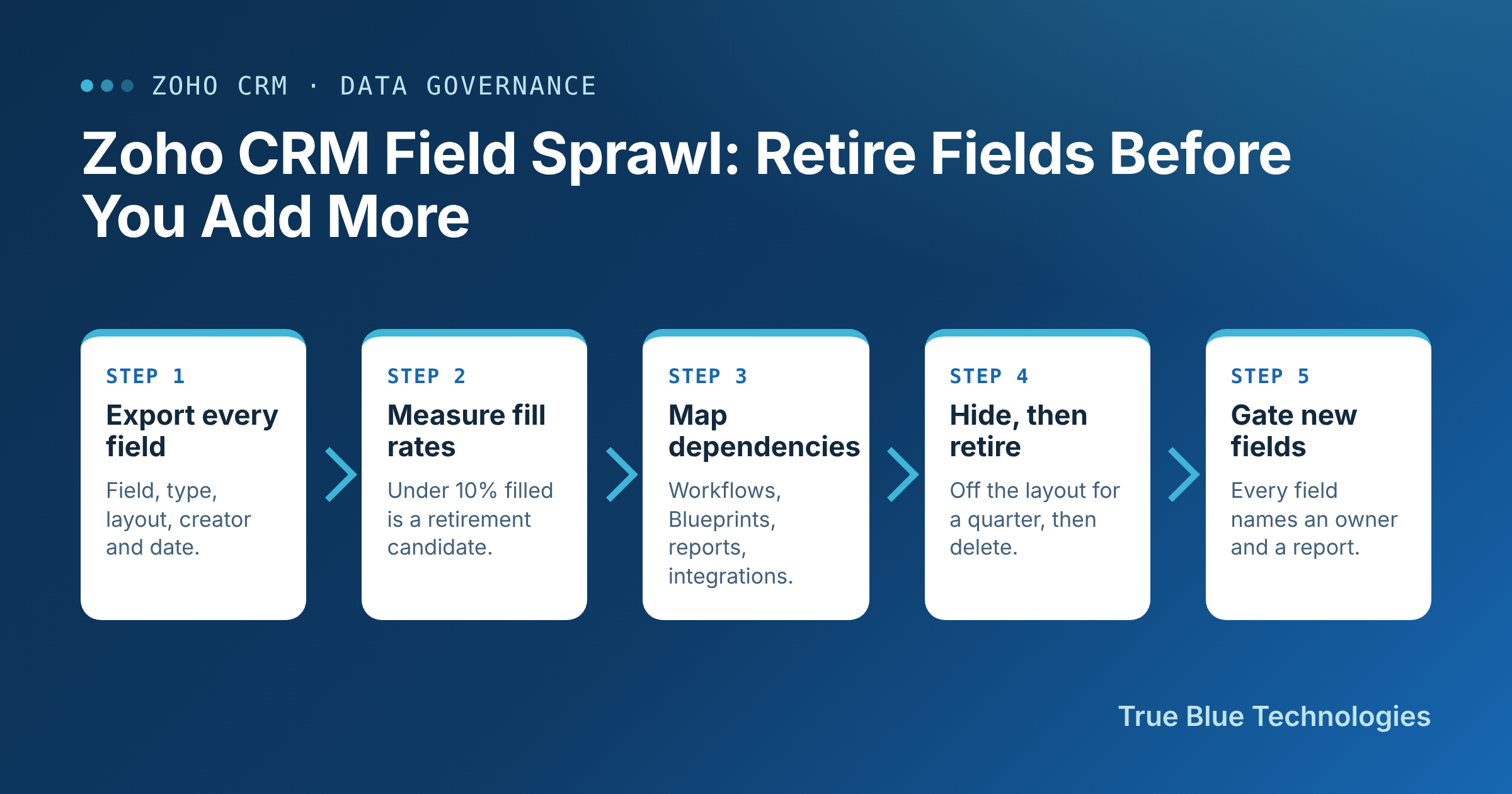
Audit and Retire in Five Steps
- Export every custom field. For each module, list the field, its type, its layout, who created it, and when. Most teams have never seen this list in one place.
- Measure fill rates. Pull the share of records created in the last 12 months where each field has a value. A field under 10% filled is a retirement candidate unless someone can name the report that needs it.
- Map dependencies. Check each candidate against workflow rules, layout rules, Blueprints, validation rules, reports, dashboards and any integration that reads it. This is the step that keeps the cleanup from breaking the month-end close.
- Hide first, then retire. Remove candidates from the layout for one full quarter and keep the data. If nobody asks for a field back, archive its values to a file and delete it.
- Gate new fields. Every new field request names an owner, the report it feeds and whether it's required. No owner and no report means no field.
Why This Matters More Once AI Reads Your CRM
Zia and any other assistant working inside Zoho CRM read the same fields your reps do. A half-filled field with three meanings gives the model three meanings too. IBM's 2025 write-up on data quality issues notes that nearly half (49%) of executives cited data inaccuracies and bias as a barrier to embracing AI, according to the IBM Institute for Business Value. A smaller, well-owned field set is the cheapest AI readiness work most teams can do.
What to Measure
Track the number of active custom fields per module, the average fill rate on fields used in reports, and the share of fields with a named owner. Watch the fill rate on your forecast-critical fields, such as close date, amount and next step, before and after the cleanup. When reps stop scrolling past noise, those numbers usually move first.
Our Take
Adding a field takes a minute. Living with it takes years. Treat your Zoho CRM field list like the source of truth it feeds: audit it, give every field an owner, and retire what nobody reads. If you'd like help, we'll run the fill-rate and dependency audit on your org and hand you a retirement list you can act on safely.